Files
Transparent PNG overlay for photo booths
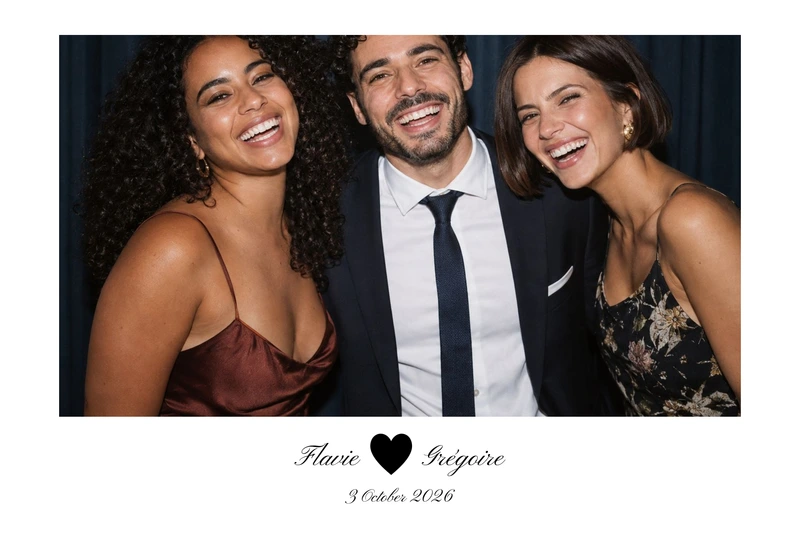
Every customised design comes with a print-ready PNG overlay: the background and your wording are solid, the photo slots are see-through. A JSON file sits alongside it with the exact position of each photo, so you can use the frame in any software that accepts a PNG overlay.
A photo booth frame PNG at true print size
The overlay is rendered at real print resolution, 300 DPI, never at screen resolution. Its dimensions match the format you chose:
- 4×6 portrait: 1200 × 1800 px, or 1800 × 1200 px for 6×4 landscape;
- 2×6 photo strip: 600 × 1800 px;
- 5×5 square: 1500 × 1500 px;
- 6×6 square: 1800 × 1800 px;
- 6×2 landscape strip: 1800 × 600 px.
The alpha channel makes every photo slot fully transparent while keeping its shape, whether rectangular, rounded or circular, depending on the design. Background, decoration and your own wording stay opaque. Some designs include a bleed: the download then says ‘including bleed’, and the PNG is slightly larger than the finished size, by the width of that bleed on each edge.
What the JSON slot file tells you
The JSON file describes the print and every photo slot. All values are in pixels of the file you download, measured from the top-left corner: no percentages, nothing to convert.
- version: the version of the file structure;
- projet and template: the name of your design, its theme, format and orientation;
- impression: largeur_px and hauteur_px (width and height of the PNG), dpi (always 300), fond_perdu_px (bleed) and marge_securite_px (safety margin);
- calque: the file name of the PNG this JSON belongs to;
- emplacements: for each photo, cle, ordre, forme, rayon_px, x, y, largeur and hauteur.
The field names are in French. Text areas are not listed: they are already drawn into the overlay and your software has nothing to do with them.
Reading the positions: bleed, safety margin and corners
x and y give the top-left corner of a slot, largeur and hauteur its width and height. ordre tells you which slot to fill first, and cle is a name for each slot.
fond_perdu_px is the bleed added on every edge, or 0 if the design has none. The positions already include it, so they apply directly to the PNG you downloaded, with no offset to add.
marge_securite_px is the inner band along the edges of the finished size where nothing important should sit, because trimming can drift slightly and eat into it.
forme is either rectangle or cercle (circle). rayon_px is the corner radius in pixels, 0 for square corners; for a circle it is half the shorter side. The transparency in the PNG already cuts that shape, so a rectangular photo placed underneath is all you need.
Using the overlay in your photo booth software
The frame works in any software that accepts a PNG overlay placed on top of the photos. The approach is always the same:
- set the output size to largeur_px × hauteur_px at 300 DPI;
- place each photo in the rectangle given by x, y, largeur and hauteur, following the slot order;
- crop each photo so it fills its slot without stretching;
- put the PNG overlay in front, at its actual size, lined up with the top-left corner.
For dslrBooth this is already done for you: the package supplied with the overlay imports as it is, as explained on our dslrBooth template page. For other software we have no verified settings to give you, so rely on its documentation and on the values in the JSON file.
Printing without shifting the photos
Print at 100%, with no scaling and no ‘fit to page’: any resizing would push the photos out of line with the transparent slots. Check the orientation, portrait or landscape, then run a test print with your own printer and software, whether that is a dye-sublimation photo booth printer or an inkjet at home. Our photo booth printing guide goes into more detail.
Choosing and customising your design
Each page in the catalogue lists its formats and layouts. Bohemian Arch, an arch of dried flowers in pink and beige, also comes as a 5×5 square and a 6×2 strip; Deep Teal & Gold pairs a rich teal with a double gold rule. To start from a mood, browse the collections, such as black and gold.
You can customise Bohemian Arch without creating an account: wording, colours, and the position and size of each area. Other questions are answered in our FAQ.