
Guide
Photo booth sizes in cm: 2×6 strips, 4×6 prints and squares
By La Cabine Bretonne · published · updated
A standard 2×6 photo booth strip measures 5.08 × 15.24 cm, often called 5×15 cm, and uses a 600 × 1800 pixel file at 300 DPI. A 4×6 print measures 10.16 × 15.24 cm and uses 1200 × 1800 pixels. Start with the paper and orientation your printer supports, then choose a matching template. This guide compares the sizes and explains how to print two strips on one sheet.
Photo booth print sizes at a glance
Our centimetre labels are commercial size names, rounded from inches: 2×6 is exactly 5.08 × 15.24 cm, 4×6 is 10.16 × 15.24 cm and 5×5 is 12.7 × 12.7 cm. Match the file’s pixels, your software setting and the printer paper rather than resizing an overlay to a rounded centimetre measurement.
Already know your print size? Browse 2×6 photo strip templates or 4×6 photo booth templates. Our dslrBooth templates include an import package with the photo positions already set.
- 4×6 portrait (10×15 cm): 1200 × 1800 pixels.
- 6×4 landscape (10×15 cm): 1800 × 1200 pixels.
- 2×6 photo strip (5×15 cm): 600 × 1800 pixels.
- 5×5 square (13×13 cm): 1500 × 1500 pixels.
- 6×2 horizontal strip (15×5 cm): 1800 × 600 pixels.
Almost every design comes as a 4×6 portrait, a 6×4 landscape and a 2×6 strip. The 5×5 square and the horizontal strip are available on some designs only, and a larger 6×6 square appears on a few. The formats page groups the catalogue by size.
4×6 portrait or landscape: match your booth
The 4×6 is the standard photo booth print: a postcard with enough room for the photos, your names and the date. What really matters is orientation. A booth set up in portrait prints tall cards; one set up in landscape prints wide ones. The template has to follow the booth, not the other way round.
On our site, portrait and landscape are two separate layouts rather than one design turned on its side: photo slots, text and ornaments are rearranged for each direction. If you are hiring a booth, ask your supplier which orientation they use before you customise anything. It is a question that saves a lot of last-minute headaches.
As a rule of thumb, landscape suits group shots and side-by-side frames, while portrait works well for full-length poses and stacks of two or three photos. To browse designs in this size, head to the 4×6 templates.
4×6 vs 2×6 photo strip: which one should you pick?
The 2×6 strip is the classic booth keepsake: a narrow column of photos running top to bottom, usually with names and a date at the foot. Guests slip it into a wallet or stick it into the guest book. The 4×6, by contrast, gives each photo more room and leaves space for a fuller design.
Strips are rarely printed on their own. In the dslrBooth file included with every design, the strip is placed twice side by side on a 4×6 portrait sheet of 1200 × 1800 pixels. Both strips carry the same photos, so you simply cut the sheet in half: one for the guest, one for the guest book.
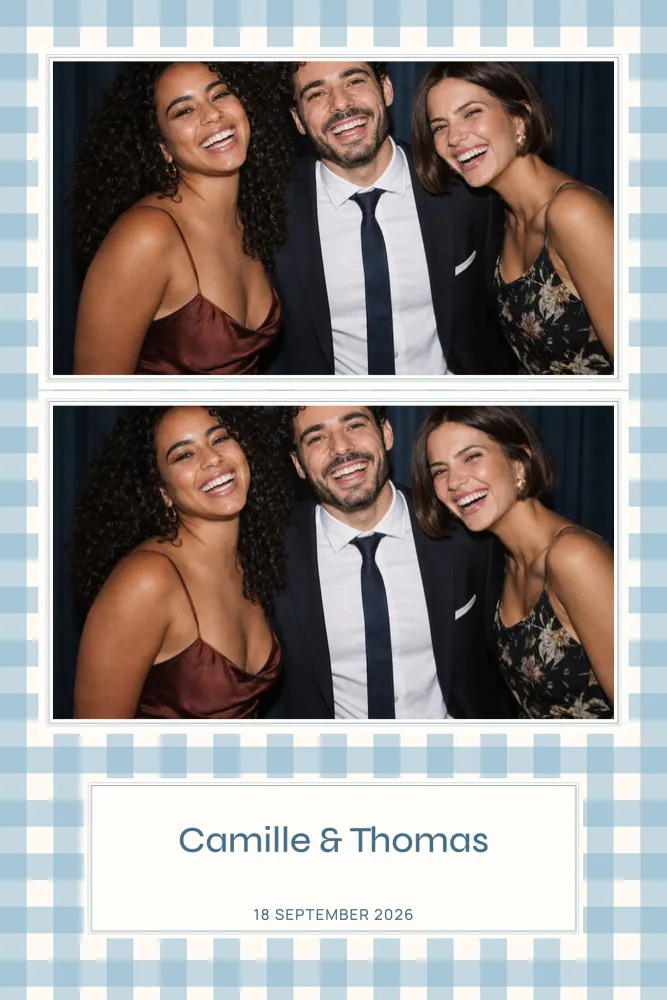
You will find every strip design on the 2×6 photo strip page. For a christening or a baby celebration, the christening photo strip collection gathers soft, gentle designs such as Sky Blue Gingham, with its delicate borders and ivory panel for the names.
Square 5×5 and 6×2 horizontal strips
The 5×5 square puts the focus on a single centred photo or a small grid, with a strong graphic feel. It does need a printer and software set up for that size, so check before you commit. Some of our wedding designs come in this shape, and the square wedding collection brings them together.
The 6×2 horizontal strip turns the classic strip on its side, with photos running left to right like a frieze. In the dslrBooth file, it is placed twice, one above the other, on a 6×4 landscape sheet of 1800 × 1200 pixels, ready to cut. Only a handful of designs offer it, such as Bohemian Arch, with its arch of pink and beige dried flowers, or Taupe Monogram, a large monogram on a taupe background. The 6×2 strip page lists them all.

How many photos per print?
The number of photos is chosen design by design. Most offer 1, 2 or 3 photos per print; some go further, like Golden Sparkles, gold glitter and stars on black, which runs from 1 to 7 photos across its cards, square and strips. A few pointers:
- One photo: the natural choice for big groups who need room to squeeze into the frame.
- Two or three photos: a short sequence of poses, which suits a strip well.
- Four photos or more: a contact-sheet effect, kept for prints large enough for each shot to stay readable.
Make sure your booth takes as many shots per session as the template has slots. Those slots are left empty in the file: the photos taken on the day drop into them.
Getting the size right at print time
Whatever the size, the PNG overlay is delivered at the exact print dimensions, at 300 DPI, and transparent where the photos go. Three rules apply across the board:
- Print at 100%, with no scaling and no fit-to-page option.
- Keep text a few millimetres away from the edges, as the cut can drift slightly.
- Run a test print with your own printer and software, checking portrait or landscape orientation.
Some designs include a bleed area, marked as including bleed when you download. For paper, the dye-sublimation printers used in photo booths and home inkjet prints, see our photo booth printing guide; for importing your design, read how to install a dslrBooth template.
Checking a template’s sizes on its page
Every design page lists the available sizes right under its title, with their inch equivalents. From there, it only takes a few clicks:
- Under Format, pick the orientation or strip you need: the preview updates straight away.
- Under Photos per print, choose how many photos you want.
- When several layouts exist, compare them: the photo slots and text sit differently in each.
- The Included in your download box shows the exact pixel dimensions of the file you have selected.
Your choice carries over to the editor, where you can still switch size. To try it out, open the Golden Sparkles editor, then follow our guide on how to customise a photo booth template.
Still unsure? Start with the booth
The right size is not just a matter of taste: it is the one your photo booth can actually print. If you are working with a supplier, ask them for the print size, the orientation and the number of shots per session. If they run dslrBooth, the file we provide imports as it is; with any software that accepts a PNG overlay, the JSON file of photo positions gives the exact placement of each photo.
Our frequently asked questions cover these points too, and the full catalogue can be filtered by occasion and style once you know which size you need.